
Como as pequenas empresas escolhem o chatbot de IA certo para seu site em 2026

INVALID LANGUAGE PAIR SPECIFIED. EXAMPLE: LANGPAIR=EN|IT USING 2 LETTER ISO OR RFC3066 LIKE ZH-CN. ALMOST ALL LANGUAGES SUPPORTED BUT SOME MAY HAVE NO CONTENT
Cons: Per-seat pricing adds up for larger teams; Fin resolution credits can be consumed quickly; learning curve for advanced workflows.
2. Tidio — Best for E-Commerce Stores
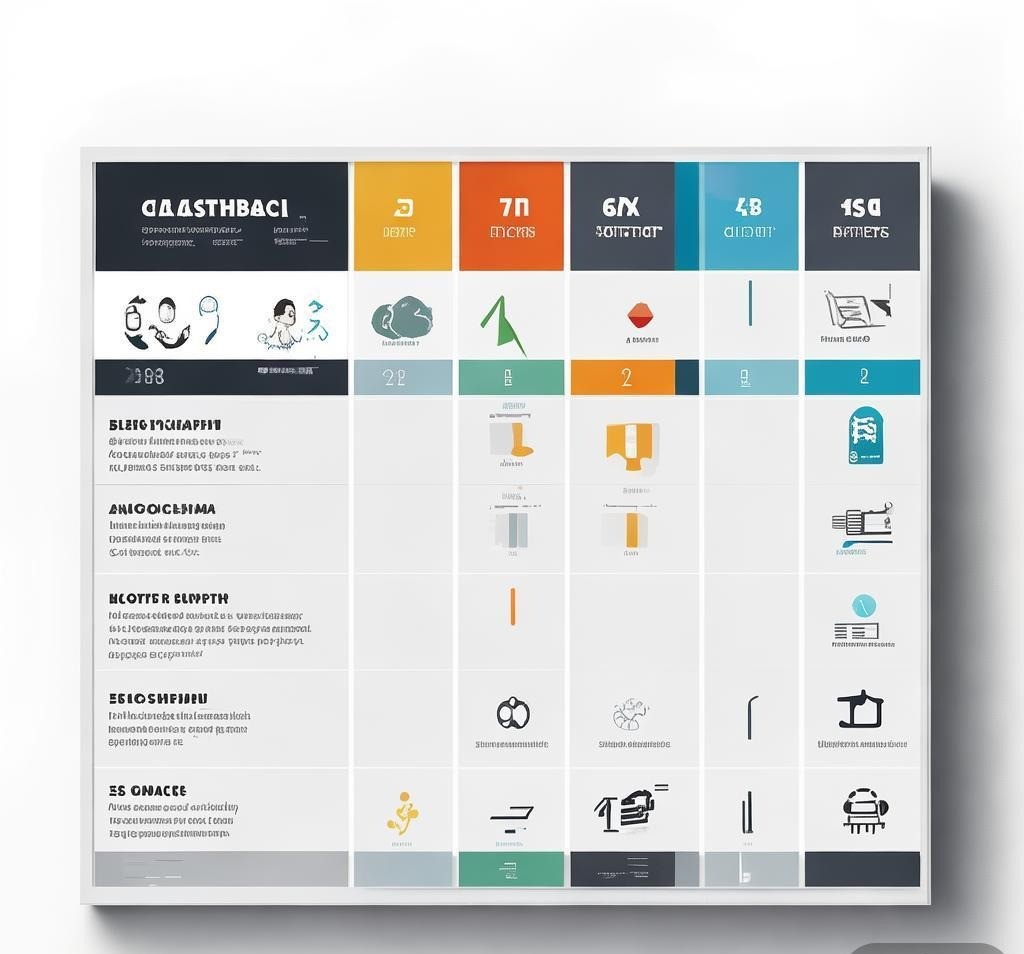
Tidio has become the go-to chatbot for Shopify, WooCommerce, and Wix store owners. Its Lyro AI chatbot trains on your product catalog, order history, and FAQ content to handle customer inquiries about availability, shipping times, returns, and product specifications. Tidio also includes live chat, so you or your team can jump into conversations when needed.
The platform’s drag-and-drop builder allows you to create conversation flows for common scenarios like order tracking, discount code requests, and product recommendations. Lyro handles the rest through natural language understanding, meaning you don’t need to script every possible question. Non-technical store owners can have a functional chatbot running within an hour.
- Starting price: Free tier available (50 Lyro conversations/month)
- Paid plans: From $29/month (Lyro AI + 1,000 conversations)
- Best for: Shopify, WooCommerce, Wix, and Squarespace stores
- Setup time: 15–30 minutes with e-commerce integration
Pros: Deep e-commerce integrations; generous free tier; multi-channel support (website, Instagram, Messenger, WhatsApp); easy visual builder.
Cons: Lyro conversations can feel slightly less natural than competitors; advanced automations require higher-tier plans; reporting is basic on lower plans.
3. Chatbase — Best for Knowledge-Heavy Businesses
Chatbase takes a document-first approach. You upload your website URL, PDFs, Notion pages, or any text content, and Chatbase builds a custom AI chatbot trained specifically on your data. This makes it particularly effective for businesses that sell services or complex products where the chatbot needs deep domain knowledge — law firms, consulting agencies, SaaS companies with detailed documentation, and educational platforms.
What makes Chatbase appealing for small businesses is the simplicity. There’s no visual flow builder to learn and no complex rule engine. You point it at your content, customize the appearance and tone, and embed the widget on your site. The chatbot uses retrieval-augmented generation (RAG) to provide answers grounded in your actual content, reducing hallucinations that plague generic AI solutions. Chatbase supports multiple LLM providers including GPT-4o, Claude, and Gemini, letting you choose the model that best fits your budget and accuracy requirements.
- Starting price: Free tier available (30 messages/month)
- Paid plans: From $19/month (2,000 messages)
- Best for: Service businesses, agencies, educational platforms, B2B companies
- Setup time: 10–20 minutes
Pros: Extremely fast setup; supports multiple AI models; excellent for content-heavy sites; transparent pricing based on message volume; white-label option available.
Cons: Limited integration ecosystem compared to Intercom; no built-in live chat (requires third-party tool); customization options are narrower for complex workflows.
4. Drift (now Salesloft) — Best for B2B Lead Generation
Drift carved its reputation in conversational marketing, and under Salesloft’s ownership, it has doubled down on B2B lead qualification. The platform’s AI chatbot engages website visitors with contextual questions, qualifies them based on firmographic data and intent signals, and routes high-value prospects directly to your sales team.
The AI capabilities include personalized greeting messages based on visitor source, intelligent routing to specific sales reps based on territory or deal size, and automated meeting scheduling that eliminates back-and-forth emails. Drift’s integration with CRM systems ensures every conversation is logged and attributed properly.
- Starting price: Custom pricing (typically starts around $2,500/month)
- Best for: B2B companies with sales teams, agencies serving enterprise clients
- Setup time: Several days (requires sales process configuration)
Pros: Sophisticated lead qualification; excellent CRM integrations; account-based marketing features; conversational landing pages.
Cons: Expensive for small businesses; steep learning curve; overkill for businesses without a dedicated sales team; pricing isn’t transparent.
5. Tawk.to — Best Budget Option with AI Features
Tawk.to has long been the most popular free live chat tool on the web, and its AI capabilities have caught up. The platform now offers an AI chatbot trained on your website content and integrated with your knowledge base. What makes Tawk.to unique is that the core live chat functionality remains completely free — unlimited agents, unlimited chats, no message caps. You only pay if you want the AI add-on or premium features like video and voice chat.
For very small businesses or startups watching every dollar, Tawk.to provides a functional chatbot experience without the monthly subscription. The trade-off is that the AI features aren’t as sophisticated as dedicated AI platforms — expect solid performance on straightforward FAQs but less nuance on complex conversations.
- Starting price: Free (live chat); AI add-on from $21/month
- Best for: Small businesses, startups, budget-conscious teams
- Setup time: 10–15 minutes
Pros: Generous free tier; unlimited agents; easy setup; supports 45+ languages.
Cons: AI capabilities lag behind premium tools; interface feels dated; limited automation options; analytics are basic.
Side-by-Side Comparison: Pricing and Features
| Feature | Intercom Fin | Tidio | Chatbase | Drift | Tawk.to |
|---|---|---|---|---|---|
| Starting Price | $39/seat/mo + $29 Fin | Free / $29/mo | Free / $19/mo | ~$2,500/mo | Free / $21 AI add-on |
| Free Tier | No | Yes (limited) | Yes (limited) | No | Yes (generous) |
| AI Model | GPT-4o | Proprietary (Lyro) | GPT-4o / Claude / Gemini | Proprietary | Proprietary |
| Live Chat | Yes | Yes | No (third-party) | Yes | Yes |
| E-Commerce | Basic | Excellent | Moderate | No | Moderate |
| CRM Integration | Excellent | Moderate | Basic | Excellent | Basic |
| Setup Difficulty | Moderate | Easy | Very Easy | Hard | Very Easy |
Pricing Breakdown by Business Size
| Business Size | Monthly Budget | Recommended Platform | Expected ROI Timeline |
|---|---|---|---|
| Solopreneur / Side Project | $0–$25 | Tawk.to (free) or Chatbase ($19) | 1–2 months |
| Small E-Commerce (1–10 staff) | $25–$100 | Tidio ($29–$59) | 1–3 months |
| Service Business / Agency | $50–$200 | Chatbase ($19–$99) + live chat tool | 2–4 months |
| Growing SaaS / Tech | $100–$500 | Intercom Fin ($68–$139) | 2–3 months |
| B2B with Sales Team | $500+ | Drift (custom) or Intercom | 3–6 months |
Key Factors to Evaluate Before Choosing
Conversation Quality and Accuracy
The single most important factor is how well the chatbot actually answers questions. A chatbot that gives wrong or confusing answers will frustrate visitors more than having no chatbot at all. When evaluating platforms, test them with your own content. Upload your FAQ, product pages, or help documentation, then ask the chatbot 10–15 questions that your real customers typically ask. Pay attention to whether the answers are accurate, whether the bot admits uncertainty when it doesn’t know something, and whether the tone matches your brand voice.
Platforms that use retrieval-augmented generation (RAG) — like Chatbase and Intercom Fin — tend to produce more accurate responses because they ground their answers in your specific content. This matters for businesses in regulated industries or those with niche products where generic AI responses could be misleading.
Integration with Your Existing Stack
Your chatbot needs to connect with the tools your team already uses. For e-commerce, that means Shopify or WooCommerce sync. For support teams, it means Zendesk or Freshdesk. For sales, it means HubSpot or Salesforce. Before committing to a platform, verify that it integrates with your CRM, help desk, and e-commerce platform — and that those integrations are included in the pricing tier you’re considering.
Analytics and Reporting
You can’t improve what you don’t measure. The best chatbot platforms provide dashboards showing conversation volume, resolution rates, common topics, satisfaction scores, and conversion metrics. Pay special attention to resolution rate — the percentage of conversations the bot handles without human intervention. A good target for small businesses is 40–60% autonomous resolution.
AI Capability Matrix
| AI Capability | Intercom Fin | Tidio Lyro | Chatbase | Drift | Tawk.to |
|---|---|---|---|---|---|
| RAG (Grounded Answers) | Yes | Yes | Yes | Partial | Yes |
| Multi-Turn Conversations | Excellent | Good | Excellent | Good | Basic |
| Lead Qualification | Yes | Basic | No | Excellent | Basic |
| Multi-Language | Yes | Yes | Yes | Yes | Yes |
| Human Handoff | smooth | Yes | No (third-party) | Yes | Yes |
| Model Selection | GPT-4o only | Proprietary only | GPT-4o / Claude / Gemini | Proprietary only | Proprietary only |
The Role of LLMs Behind Website Chatbots
The quality of a website chatbot depends heavily on the large language model (LLM) powering it. In 2026, the three dominant LLMs used in chatbot platforms are OpenAI’s GPT-4o, Anthropic’s Claude, and Google’s Gemini. Each has distinct characteristics that affect how your chatbot performs.
ChatGPT (powered by GPT-4o) excels at conversational fluency and creative responses. It’s the most widely used LLM in chatbot platforms and offers strong multilingual support. Claude by Anthropic is known for nuance, safety, and following complex instructions precisely — making it ideal for businesses that need careful, accurate responses in regulated fields. Perplexity AI combines LLM capabilities with real-time web search, which is useful for chatbots that need to reference current information.
Most chatbot platforms default to a single LLM provider. Chatbase stands out by letting you choose between GPT-4o, Claude, and Gemini for different use cases, giving you flexibility to optimize for either cost or quality.
Implementation Tips for Small Businesses
- Start with your top 20 questions. Review your support tickets, live chat logs, and email inquiries from the past six months. Identify the 20 most frequently asked questions and make sure your chatbot can answer every one accurately before going live.
- Train on real content, not summaries. Upload your actual product pages, help articles, and policy documents. RAG-based chatbots perform better with more source material because they can reference specific passages rather than guessing.
- Set clear escalation rules. Define exactly when the chatbot should hand off to a human. Common triggers include pricing questions not covered in the knowledge base, refund requests, technical issues, and conversations where the user expresses frustration.
- Monitor the first 100 conversations. After launching, manually review the first 100 chatbot conversations. Look for patterns in where the chatbot fails, where it succeeds, and what questions you didn’t anticipate.
- Iterate weekly for the first month. Chatbot performance improves dramatically with small, frequent adjustments. Set aside 30 minutes each week to review analytics, update training content, and tweak conversation flows.
Common Mistakes to Avoid
The most frequent mistake is overestimating what a chatbot can do out of the box. No AI chatbot will perform well without proper training content. Uploading a few product names and hoping for the best leads to generic, unhelpful responses that erode visitor trust. Invest time upfront in creating thorough, accurate source material.
Another pitfall is forcing the chatbot into every page. A good implementation makes it available without being intrusive — offering help on key pages (pricing, product details, checkout) but remaining unobtrusive elsewhere.
Finally, avoid set-and-forget. Your products change, policies evolve, and customer questions shift with market conditions. Schedule monthly content audits to ensure your chatbot’s training data stays current.
Frequently Asked Questions
How much does an AI chatbot for a website cost?
AI chatbots range from completely free (Tawk.to’s live chat with basic automation) to several thousand dollars per month (Drift for enterprise B2B). For most small businesses, expect to spend between $19 and $99 per month for a capable AI chatbot. Cost typically scales with the number of conversations or messages, so budget based on your expected traffic volume.
Do I need technical skills to set up a website chatbot?
No. Modern chatbot platforms are designed for non-technical users. Most require only copying a small JavaScript snippet into your website’s header or using a plugin for platforms like Shopify, WordPress, or Wix. Chatbase and Tawk.to can be set up in under 15 minutes.
Can an AI chatbot replace human customer support?
Partially, but not entirely. A well-configured AI chatbot can handle 40–60% of routine inquiries autonomously — FAQs, order status, product details, and basic troubleshooting. Complex issues, complaints, and high-value sales conversations still benefit from human involvement. The most effective approach is a hybrid model where the AI handles volume and humans handle nuance.
Which AI chatbot is best for Shopify stores?
Tidio is the strongest choice for Shopify merchants due to its deep e-commerce integrations, product catalog awareness, and affordable pricing. It can track orders, recommend products, answer inventory questions, and process returns — all within the chat interface. Intercom Fin is a solid alternative for larger stores needing advanced analytics.
Will an AI chatbot slow down my website?
Not noticeably. Modern chatbot widgets are lightweight JavaScript components that load asynchronously, meaning they don’t block your page content from rendering. Most add less than 100KB to your page load. Choose a platform that offers lazy loading if performance is a priority.
How do AI chatbots handle customer data and privacy?
Reputable chatbot platforms comply with GDPR, CCPA, and other major privacy regulations. They encrypt conversations in transit and at rest, and most allow you to configure data retention policies. If your business operates in a regulated industry, verify that the platform offers HIPAA or SOC 2 compliance before implementation.
Conclusion
Choosing the right AI chatbot for your website comes down to matching the platform’s strengths to your specific business needs. E-commerce stores will find the most value in Tidio’s product-aware capabilities. Service businesses and agencies should look at Chatbase for its content-first approach and model flexibility. SaaS companies with existing support infrastructure will benefit most from Intercom Fin’s autonomous resolution. B2B teams focused on lead generation should evaluate Drift despite its premium pricing. And budget-conscious businesses can start with Tawk.to’s free tier to test whether a chatbot delivers value before committing to a paid platform.
The most successful small businesses pick a platform that fits their budget, set it up with quality training content, and iterate based on real customer conversations. For a deeper look at the AI models powering these tools, explore our AI chatbot tools directory for detailed comparisons and updated reviews.
Disclosure: This article was generated using AI tools and reviewed by our editorial team for accuracy and quality.
- Filipa.ai - Filipa.ai is a free, personalized AI ass
- Dart - AI-powered project management for effici
- Examify AI - AI-powered revision toolkit for personal
- Weave - Prompt management system for personalize