
Assistentes de reunião de IA: ferramentas automatizadas para anotações classificadas quanto à precisão
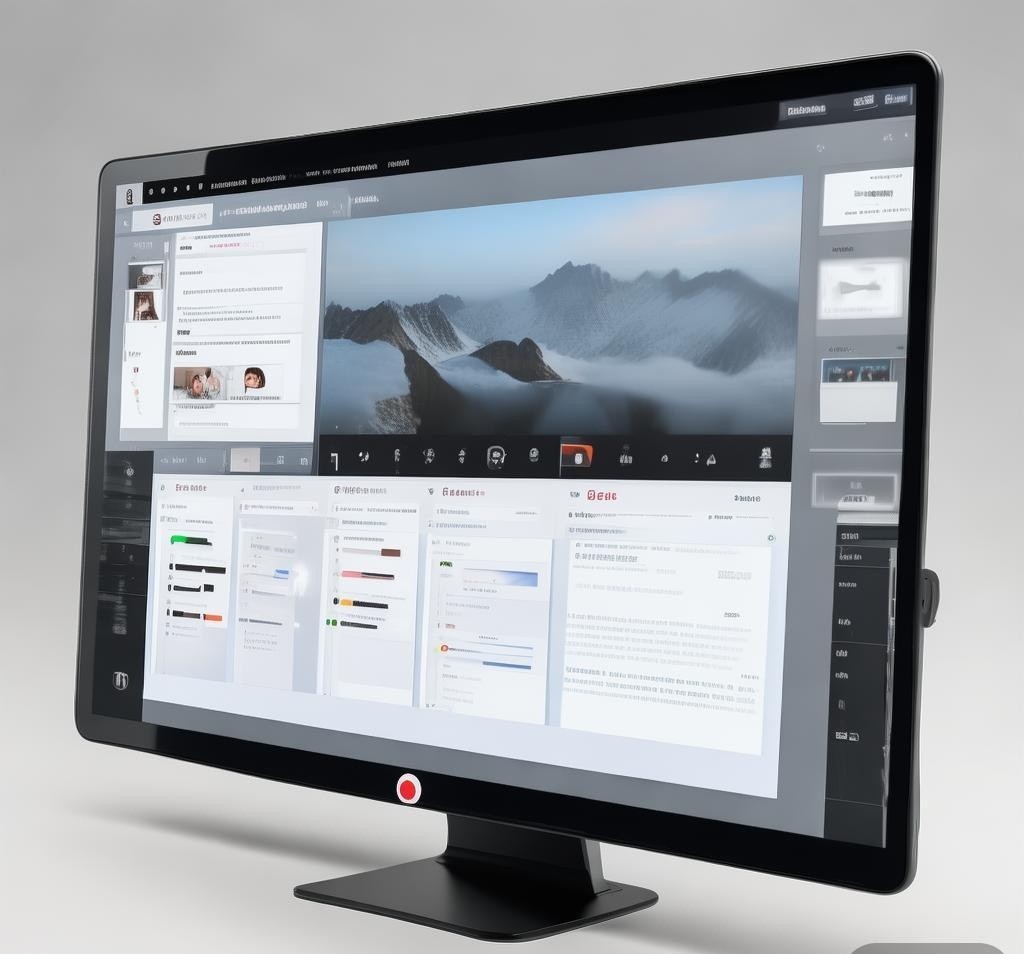

I used to spend the first ten minutes of every meeting scrambling to set up a note-taking template, and the last ten minutes frantically typing while everyone was already packing up. Sound familiar? After years of half-baked notes and missed action items, I finally let AI handle the paperwork. I have spent the last several weeks testing six of the most popular AI meeting assistants — Otter.ai, Fireflies.ai, tl;dv, Fathom, Grain, and Airgram — in real work meetings. My goal was simple: find out which ones actually deliver accurate transcripts, useful summaries, and smooth integrations without charging a fortune. If you are tired of being the designated note-taker, this comparison is for you. For more details, visit Gartner collaboration research. For more details, visit OpenAI ChatGPT official page. For more details, visit Notion official website.
Why I Ditched Manual Meeting Notes
Before I jump into the tools, let me explain why I even bothered looking. Manual note-taking is a trap. The moment you start typing, you stop listening. You miss the nuance in someone’s tone, the subtle shift in conversation direction, or the quick agreement that turns into a critical action item. I found that my notes were always either too detailed (a near-verbatim transcript nobody would ever reread) or too vague (three bullet points that meant nothing two days later). AI meeting assistants solve this by capturing everything and then distilling it into what matters. After testing these tools across dozens of calls — client meetings, standups, brainstorming sessions, and one-on-ones — I have a clear picture of which ones are worth your time. If you are curious how AI assistants compare more broadly, I recently explored that in my breakdown of the top AI assistants performing in 2026.

Otter.ai – The Veteran That Keeps Getting Better
Otter.ai has been around longer than most competitors, and that experience shows. I started using Otter back when it was one of the only options, and I keep coming back to it because the transcription engine is remarkably reliable. During my tests, Otter handled multi-speaker conversations with high accuracy, even when people talked over each other or had strong accents. The speaker identification is solid — it usually correctly assigns names after a brief learning period.
What I love about Otter is the OtterPilot feature, which automatically joins your Zoom, Google Meet, or Teams meeting and starts transcribing without you lifting a finger. The meeting summary it generates includes key topics, action items, and a brief overview, all of which I found genuinely useful. You can also ask Otter questions about the meeting in a chat-like interface, which is handy when you need to recall a specific detail without scrolling through the entire transcript.
On the downside, Otter’s free tier limits you to 300 minutes per month, which burns through quickly if you have daily meetings. The interface can also feel cluttered when you are managing multiple team workspaces. Still, for sheer transcription accuracy and maturity, Otter remains one of the best options available.
Fireflies.ai – The All-in-One Meeting Workspace
Fireflies.ai positions itself as more than just a transcription tool — it wants to be your complete meeting intelligence platform. When I first signed up, I was impressed by how much Fireflies does out of the box. It joins meetings automatically, transcribes them, generates summaries, and even lets you track specific topics or keywords across all your meetings over time. That last feature is genuinely powerful if you are a manager who needs to monitor how often certain topics come up across a team.
The transcription quality is strong, though I noticed it occasionally struggled with technical jargon compared to Otter. The summaries, however, are excellent. Fireflies breaks each meeting into sections with time-stamped highlights, and the AI-generated action items are among the most accurate I have seen. I also appreciated the conversation intelligence features — tracking talk-to-listen ratios, sentiment, and question frequency. These are not gimmicks; they actually help you understand meeting dynamics.
Fireflies integrates with a wide range of tools, including Salesforce, HubSpot, Slack, and Zapier. The pricing is competitive, with a free tier that gives you unlimited transcriptions for up to 10 users. Paid plans start at $10 per user per month and access features like bulk processing and advanced analytics. For teams that need meeting intelligence beyond simple notes, Fireflies is a strong contender.
tl;dv – Built for Teams That Live on Google Meet
If your organization runs on Google Meet, tl;dv might be the most natural fit. It installs as a Chrome extension and integrates directly into the Meet interface. I found the setup to be almost comically simple — install the extension, join a meeting, and tl;dv starts recording and transcribing automatically. There is no bot joining the call, which I prefer because it avoids the awkward “who is that” moment.
The standout feature of tl;dv is its video clipping capability. After a meeting, you can highlight any section of the transcript and instantly create a shareable video clip with that exact segment. This is incredibly useful for sharing key moments with stakeholders who could not attend. I used this feature to send a 45-second clip of a client’s requirements discussion to a developer, and it saved us a 15-minute back-and-forth email thread.
The AI summaries are good but not the best in this roundup. They tend to be concise to the point of sometimes missing nuance. Transcription accuracy is solid for clear audio but can dip when there is background noise or heavy accents. The free plan is generous, offering unlimited recordings and basic summaries. Paid plans start at around $16 per month and add features like meeting folders, speaker analytics, and priority support. For Google Meet-heavy teams that value video sharing, tl;dv punches well above its weight.
Fathom – Simple, Free, and Surprisingly Powerful
Fathom is the tool I recommend most often to people who have never tried an AI meeting assistant before. Why? Because it is completely free for individual use and dead simple to set up. It works with Zoom, Google Meet, and Teams, and once it is installed, it just shows up in your meeting toolbar ready to go. During my tests, I found Fathom’s transcription quality to be surprisingly strong given that it costs nothing. It handles multi-speaker conversations well and generates summaries that include action items, key topics, and decisions made.
INVALID LANGUAGE PAIR SPECIFIED. EXAMPLE: LANGPAIR=EN|IT USING 2 LETTER ISO OR RFC3066 LIKE ZH-CN. ALMOST ALL LANGUAGES SUPPORTED BUT SOME MAY HAVE NO CONTENT
| Tool | Multi-Speaker Accuracy | Technical Jargon | Accent Handling | Background Noise |
|---|---|---|---|---|
| Otter.ai | Excellent | Very Good | Good | Good |
| Fireflies.ai | Very Good | Good | Good | Good |
| tl;dv | Good | Good | Fair | Fair |
| Fathom | Good | Good | Good | Fair |
| Grain | Very Good | Very Good | Good | Good |
| Airgram | Very Good | Good | Very Good | Good |
Otter.ai and Grain came out on top for overall transcription reliability. Otter has a slight edge with multi-speaker identification, while Grain handled technical vocabulary slightly better. Airgram impressed me with its accent handling, which makes sense given its multi-language focus. tl;dv and Fathom are perfectly adequate for most business conversations but showed minor weaknesses with heavy accents or noisy environments.
Summary Features Face-Off
A good transcript is great, but a good summary is what actually saves you time. I evaluated each tool’s AI summaries based on completeness, accuracy of action items, readability, and whether the summaries actually helped me understand what happened without rewatching the meeting.
| Tool | Action Items | Key Topics | Custom Prompts | Chat with Meeting |
|---|---|---|---|---|
| Otter.ai | Yes | Yes | Yes | Yes |
| Fireflies.ai | Yes | Yes | Yes | Yes |
| tl;dv | Yes | Yes | Limited | No |
| Fathom | Yes | Yes | No | No |
| Grain | Yes | Yes | Yes | No |
| Airgram | Yes | Yes | Yes | No |
Fireflies.ai and Otter.ai offer the deepest summary features, including the ability to ask follow-up questions about the meeting content. Fireflies edges ahead slightly with its topic tracking across meetings, which is valuable for longitudinal analysis. Fathom and tl;dv keep things simpler, which is not necessarily a bad thing — sometimes you just want a clean summary without a dozen options. Airgram’s agenda-aligned summaries are a standout feature that I wish more tools offered. Much like how Cursor AI changed how developers approach coding workflows, the best meeting assistants adapt to how you actually work rather than forcing you into a rigid structure.
Integrations and Pricing at a Glance
No meeting assistant exists in a vacuum. You need it to play nicely with the tools your team already uses. I looked at each tool’s integration ecosystem and pricing structure to see which ones offer the best value.
Algumas coisas se destacam. Fireflies oferece o melhor nível gratuito para equipes – transcrições ilimitadas para até 10 usuários são genuinamente generosas. Fathom e tl;dv são gratuitos para indivíduos, o que os torna pontos de partida ideais. Airgram é a opção paga mais acessível, custando menos de US$ 10 por mês. Otter e Grain ficam no meio, oferecendo recursos fortes, mas com um preço mais alto. Se você ganha a vida avaliando ferramentas de IA – semelhante a como abordei comparando Claude e ChatGPT para codificação – você sabe que o preço é apenas parte da equação. A verdadeira questão é se a ferramenta se adapta ao seu fluxo de trabalho específico.
Qual assistente de reunião com IA você deve escolher?
Após semanas de testes, aqui está minha recomendação honesta com base em diferentes casos de uso. Se você deseja transcrições mais precisas e não se importa em pagar por elas, Otter.ai é minha melhor escolha. Se você é um líder de equipe que precisa de análises de reuniões e inteligência de conversas, Fireflies.ai oferece o conjunto de recursos mais completo pelo preço. Se sua equipe mora no Google Meet e você valoriza o compartilhamento de vídeos, tl;dv é a escolha natural. Se você é uma pessoa que deseja apenas parar de fazer anotações e quer isso de forma totalmente gratuita, Fathom é a resposta. Se o seu fluxo de trabalho gira em torno de conteúdo de vídeo e você precisa de recursos de compartilhamento de clipes, vale a pena investir no Grain. E se você trabalha em vários idiomas ou deseja resumos orientados pela agenda pelo menor preço, o Airgram deve estar na sua lista.
Não existe um assistente de reunião com IA melhor – existe apenas o melhor para sua situação. Eu pessoalmente alterno entre Otter para chamadas de clientes e tl;dv para reuniões internas, e essa combinação cobre 95% das minhas necessidades. O importante é escolher um, experimentá-lo por uma semana e ver como isso muda sua experiência de reunião. Depois que você deixar de ser o anotador e começar a participar plenamente de suas próprias conversas, você se perguntará por que esperou tanto tempo.
Perguntas frequentes
O que constitui uma boa ferramenta de IA para essa finalidade?
As melhores ferramentas de IA nesta categoria combinam resultados de alta qualidade, interfaces intuitivas, preços razoáveis e desempenho confiável. Procure ferramentas que ofereçam avaliações gratuitas para que você possa avaliá-las de acordo com suas necessidades específicas.
Quanto normalmente custam essas ferramentas?
Os preços variam de assinaturas gratuitas (com limitações) a assinaturas premium de US$ 20 a US$ 50 por mês. Planos empresariais com recursos avançados e limites de uso mais elevados podem custar mais. O faturamento anual geralmente oferece descontos significativos.
Essas ferramentas podem substituir a experiência humana?
INVALID LANGUAGE PAIR SPECIFIED. EXAMPLE: LANGPAIR=EN|IT USING 2 LETTER ISO OR RFC3066 LIKE ZH-CN. ALMOST ALL LANGUAGES SUPPORTED BUT SOME MAY HAVE NO CONTENT
- AnyEnhancer - AI video enhancer for upscaling, denoisi
- Giftwrap AI - AI-powered gift selection and delivery p
- Marble - Platform for generating, editing, and sh
- memri.se - A language learning platform with native