
AI プレゼンテーション メーカー: スライドの品質、速度、柔軟性をデータに基づいて考察

For more details, visit TED Talks for presentation inspiration
Creating a polished presentation used to take hours of fiddling with layouts, fonts, and image placement. AI presentation makers have compressed that timeline to minutes — but the quality gap between tools is enormous. Some generate slides that look like they came from a template library, while others produce layouts so generic they embarrass you in front of a room. This guide compares seven capable AI presentation tools in 2026, evaluated on three axes that actually matter: visual quality, generation speed, and customization depth. See Google helpful content guidelines for more.
How AI Presentation Makers Actually Work
Most AI presentation tools follow a similar pipeline: you provide a topic or outline, the model generates a text structure, and a layout engine maps that content onto slide templates. Some tools use proprietary LLMs for content generation, while others lean on ChatGPT or Google Gemini under the hood. The layout stage is where the real differentiation happens — it determines whether your slides look professional or amateurish.
Content Generation vs. Design Rendering
The content layer handles headings, body text, and visual suggestions. Tools like Tome and Gamma AI treat this as creative writing, producing narrative-driven decks. Others, like Microsoft Copilot in PowerPoint, focus on converting existing documents into slide-ready bullet points. The design rendering layer picks colors, arranges elements, and applies typographic hierarchy. A tool can have excellent content generation but terrible design rendering — producing slides that read well but look sloppy.
What Separates Good Tools from Mediocre Ones
The best AI presentation makers share three traits. First, they respect design constraints — proper whitespace, consistent color palettes, readable font sizes. Second, they allow iterative refinement without regenerating the entire deck. Third, they produce output that doesn’t scream “AI-generated.” Mediocre tools dump walls of text onto slides, use misaligned elements, and offer no way to fix individual slides without starting over.
Gamma AI: Fast Decks with Strong Template Variety
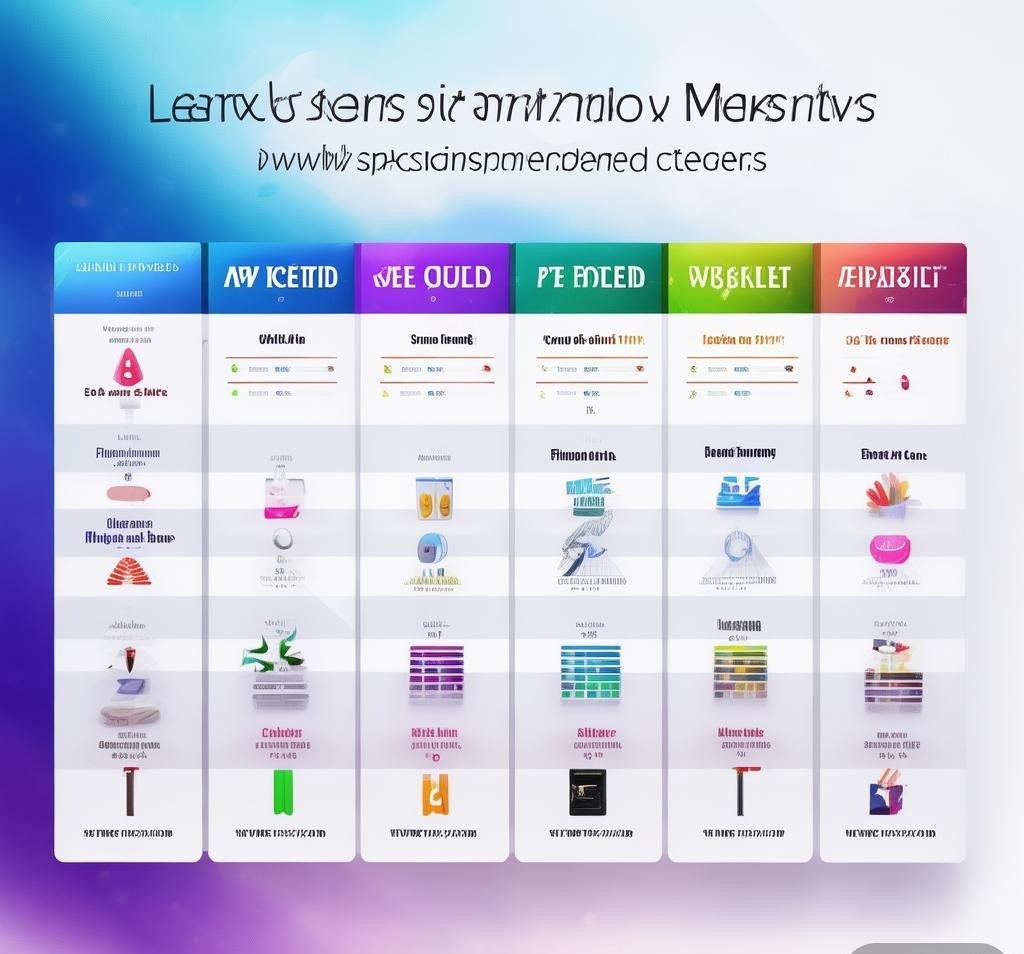
Gamma AI generates complete decks in under 30 seconds from a simple text prompt, with a genuinely diverse template library spanning corporate, creative, educational, and pitch-deck styles. The free tier gives you 400 credits (roughly 10-15 presentations), and the Pro plan at $10/month opens up unlimited generation plus higher-resolution exports.
Strengths and Limitations
You type a prompt like “quarterly revenue review for a SaaS company” and get a 12-slide deck with charts, icons, and placeholder data almost instantly. The AI understands context well enough to suggest relevant section headers and data visualization types. Customization is solid — you can edit individual slides, swap images, and adjust layouts without the AI overwriting your changes.
- Pros: Extremely fast generation (under 30 seconds); large template library; good free tier; supports embedded media like videos and GIFs; collaborative editing.
- Cons: Free tier watermarks exports; limited chart customization; AI sometimes repeats similar layouts; no native PowerPoint export; no offline editing.
Where Gamma falls short is in data-heavy presentations. If you need precise chart types (waterfall, funnel, Mekko), the options are limited. The AI also struggles with highly technical content, tending to oversimplify complex topics. For business reviews and marketing decks, Gamma is strong. For financial modeling or scientific presentations, look elsewhere.
Beautiful.ai: Design-First Philosophy
Beautiful.ai bakes design intelligence into every element you add. When you drop in a bulleted list, the system automatically adjusts spacing and font sizes. Add a pie chart, and it positions labels for readability. This “smart template” system means slides look polished even with zero design skills. The Pro plan costs $12/month with unlimited presentations, custom branding, and viewer analytics. There’s no permanent free tier — only a 14-day trial.
When Beautiful.ai Excels
This tool shines in corporate environments where brand consistency matters. You can lock in company colors, fonts, and logos, and the AI respects those constraints across every slide. The design system prevents overcrowded slides, tiny text, and misaligned images.
- Pros: Best-in-class design enforcement; excellent brand kit support; viewer analytics; smart templates adapt automatically; enterprise SSO and admin controls.
- Cons: No free tier (14-day trial only); slower AI generation; narrower template variety; limited multimedia support; PPTX export sometimes breaks complex layouts.
The trade-off is flexibility. Because Beautiful.ai’s design system is opinionated, creating highly custom layouts — asymmetric grids, overlapping elements — is difficult. This is intentional: the tool’s premise is that constraints produce better results. Whether that works depends on how much creative control you need.
Tome: Narrative-Driven Presentations
Tome creates scrollable, web-native presentations that flow like digital documents rather than PowerPoint files. The Pro plan runs $16/month, making it the priciest standalone option here. Each “slide” is a full-width section containing rich media, embedded Figma prototypes, live spreadsheet data, and interactive elements.
The Narrative Format Advantage
Tome’s AI generates content in a storytelling arc — setup, conflict, resolution — giving presentations more compelling structure than the typical “intro, body, conclusion” format. This works brilliantly for pitches and proposals where linear flow matters more than projector compatibility.
- Pros: Unique narrative format; excellent AI writing quality; supports rich embeds (Figma, Airtable, live URLs); beautiful default aesthetics; strong for investor pitches.
- Cons: $16/month is expensive for casual use; not for traditional projector presentations; limited export options; smaller template library; over-engineered for simple decks.
Tome’s weakness is versatility. If you need standard 16:9 slides for a conference room projector, the web-native format creates friction. A weekly status update doesn’t benefit from a three-act structure. But for high-stakes persuasive presentations — fundraising, sales, thought leadership — Tome’s format genuinely elevates the content. Pair it with Claude for content research, and you can go from idea to polished pitch deck quickly.
SlidesAI: The Google Slides Power User’s Choice
INVALID LANGUAGE PAIR SPECIFIED. EXAMPLE: LANGPAIR=EN|IT USING 2 LETTER ISO OR RFC3066 LIKE ZH-CN. ALMOST ALL LANGUAGES SUPPORTED BUT SOME MAY HAVE NO CONTENTINVALID LANGUAGE PAIR SPECIFIED. EXAMPLE: LANGPAIR=EN|IT USING 2 LETTER ISO OR RFC3066 LIKE ZH-CN. ALMOST ALL LANGUAGES SUPPORTED BUT SOME MAY HAVE NO CONTENT
| Feature | Gamma | Beautiful.ai | Tome | SlidesAI | Canva | Copilot | Pitch |
|---|---|---|---|---|---|---|---|
| Speed | ★★★★★ | ★★★☆☆ | ★★★★☆ | ★★★★☆ | ★★★☆☆ | ★★★☆☆ | ★★★★☆ |
| Design Quality | ★★★★☆ | ★★★★★ | ★★★★☆ | ★★★☆☆ | ★★★★☆ | ★★☆☆☆ | ★★★★☆ |
| Customization | ★★★★☆ | ★★★☆☆ | ★★★★☆ | ★★★★★ | ★★★★★ | ★★★★★ | ★★★★☆ |
| Brand Kit | ★★★☆☆ | ★★★★★ | ★★★☆☆ | ★☆☆☆☆ | ★★★★☆ | ★★★★☆ | ★★★☆☆ |
| Data Viz | ★★★☆☆ | ★★★☆☆ | ★★☆☆☆ | ★★☆☆☆ | ★★★☆☆ | ★★★★☆ | ★★☆☆☆ |
| Collaboration | ★★★☆☆ | ★★★☆☆ | ★★★☆☆ | ★★★★☆ | ★★★★☆ | ★★★★★ | ★★★★★ |
| Template Variety | ★★★★★ | ★★★☆☆ | ★★★☆☆ | ★★★☆☆ | ★★★★★ | ★★☆☆☆ | ★★★☆☆ |
| AI Content Quality | ★★★★☆ | ★★★☆☆ | ★★★★★ | ★★★☆☆ | ★★★☆☆ | ★★★☆☆ | ★★★★☆ |
No single tool dominates every category. Gamma leads in speed and templates. Beautiful.ai owns design and brand management. Tome produces the best AI content. Copilot and Pitch excel in collaboration. Your choice depends on which trade-off you accept.
How to Choose the Right Tool
Picking the right tool starts with understanding what presentations you create most often.
For Startup Founders and Fundraisers
Tome is the clear winner. Its narrative format was built for persuasion, and the AI generates content with a storytelling arc that resonates with investors. The web-native format also feels more modern than a standard PDF deck for follow-up materials.
For Corporate Teams and Enterprise
Beautiful.ai and Microsoft Copilot are the enterprise picks. Beautiful.ai if visual consistency across client materials is the priority. Copilot if converting existing documents into presentations without leaving Microsoft is the goal. Both support brand management, though Beautiful.ai’s implementation is more sophisticated.
For Educators and Students
SlidesAI and Canva are the best fits. SlidesAI works inside Google Slides, the default in most educational settings. Canva’s free tier is genuinely useful with education-specific designs. Gamma AI is also worth considering — its 400 free credits cover a full semester for most students.
For Marketing and Creative Teams
Canva and Gamma AI serve marketing teams best. Canva for ecosystem depth — brand assets, social templates, and presentations from one platform. Gamma for speed when producing multiple deck variations. Pitch is a dark horse if your team uses Notion and Slack.
Frequently Asked Questions
Can AI presentation makers replace professional designers?
For most business presentations, yes — tools like Beautiful.ai and Gamma AI produce output polished enough that a designer wouldn’t add meaningful value. For high-stakes creative work (keynotes, product launches), a designer still outperforms AI because they create fully custom layouts that AI can’t replicate. Think of these tools as raising the floor, not the ceiling.
Do AI-generated presentations look obviously artificial?
It depends on the tool and how much you edit. Beautiful.ai’s design system produces slides that look professionally designed regardless of AI involvement. Gamma and Tome look AI-generated if uncustomized — layouts are too consistent, imagery too stock-photo-ish. Spending 10-15 minutes tweaking fonts, colors, and images removes most obvious AI tells.
Which tool works best with existing documents?
Microsoft Copilot is purpose-built for document-to-presentation conversion. If you have a Word document or detailed outline, Copilot extracts key points more accurately than any competitor. Gamma AI also accepts document uploads, but conversion quality isn’t as precise. For text-heavy sources, Google Gemini can help structure content before feeding it into any tool.
Are these tools safe for confidential business data?
Microsoft Copilot has the strongest enterprise security posture within Microsoft 365’s compliance framework (SOC 2, GDPR, HIPAA eligible). Beautiful.ai offers enterprise plans with SSO and data residency. Gamma and Tome store data on their servers. SlidesAI passes through Google’s infrastructure. Verify each tool’s data policies before uploading sensitive content.
Can I use these tools offline?
Most require internet for generation. SlidesAI is the exception — once generated in Google Slides, you can edit offline. Copilot allows offline editing of generated presentations in the desktop app, though generation requires connectivity. Gamma, Tome, Beautiful.ai, and Pitch are entirely cloud-based.
Final Recommendation

For most individual users and small teams, Gamma AI at $10/month delivers the best balance of speed, template quality, and customization. It’s not the best at any single dimension, but consistently good across all of them.
For enterprise teams needing brand consistency and client-ready output, Beautiful.ai at $12/month is the better investment. Its design enforcement prevents visual inconsistencies that undermine professional presentations.
For high-stakes persuasive presentations — investor pitches, sales proposals, thought leadership — Tome at $16/month produces content quality no other tool matches. The narrative format isn’t for every situation, but when persuasion is the goal, Tome’s AI writes better and structures more compellingly than any competitor.
The worst value is Microsoft Copilot at $20/month if you only need presentation generation — you’re paying for an AI suite, not a presentation tool. But if you already pay for Copilot Pro, the PowerPoint integration is a free bonus that works for internal decks.
Start with Gamma AI’s free tier to gauge whether AI-generated presentations meet your quality bar. If design is lacking, try Beautiful.ai’s trial. If content quality needs improvement, try Tome. Every tool here offers enough free access to make an informed decision before committing financially.
Disclosure: This article was generated using AI tools and reviewed by our editorial team for accuracy and quality.
Recommended AI Tools
If you found this article helpful, you might also want to explore these tools:
- 智能小e插件 - 智能小e插件 provides you with a 7*24 hour int
- MuseVideo - MuseVideo is a professional AI video gen
- Nonverbia - Nonverbia turns video meetings into clea
- Reply Wizard - Easy-to-use website builder for founders